IPTV UK Guide 2026: Sky Sports, Setup & How to Save £50/Month
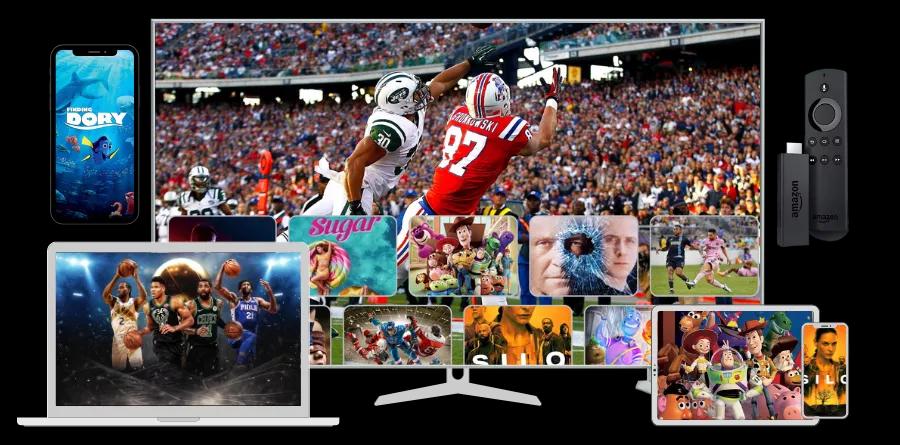
TL;DR: IPTV lets you watch all Sky Sports channels, BBC, ITV, BT Sport, and 24,000+ more channels for as little as £9.99/month — no Sky box, no 18-month contract required.
Sky Sports costs £43–£92 per month. With an 18-month minimum contract. And you need a £299 Sky box.
IPTV costs £9.99 per month. No contract. No box. Works on your existing TV, Fire Stick, or phone.
This guide explains exactly what IPTV is, how it works in the UK, how to set it up, and why hundreds of thousands of UK viewers have already made the switch.
What is IPTV?
IPTV stands for Internet Protocol Television. Instead of receiving TV signals through a satellite dish or cable wire, IPTV delivers television content over your broadband internet connection.
Think of it like this: Netflix delivers films and shows over the internet. IPTV delivers live TV, sports channels, and on-demand content over the internet — including channels like Sky Sports, BBC One, ITV, and BT Sport.
The key differences from traditional TV:
| | Traditional TV (Sky/Cable) | IPTV | |---|---|---| | Delivery method | Satellite dish or cable wire | Broadband internet | | Equipment needed | Set-top box or satellite dish | Any internet-connected device | | Contract | Typically 18–24 months | Monthly, no contract | | Cost | £43–£92/month | From £9.99/month | | Channels | Fixed package | 24,000+ channels |
How IPTV Works Technically
IPTV works by converting TV content into data packets — the same format your browser uses to load web pages. These packets travel through your broadband connection to your device, where a dedicated IPTV app reassembles them into the video you watch.
Modern IPTV services use CDN (Content Delivery Network) infrastructure with multiple servers across the UK and Europe. This ensures low latency and smooth streaming even during high-demand events like Premier League matches or F1 races.
For the best experience, you need:
- Minimum 10 Mbps for HD streaming
- 25 Mbps or more for 4K Ultra HD
- Most UK broadband connections easily exceed this
What Channels Does IPTV Include?
A quality UK IPTV subscription includes far more than just Sky Sports. Here is what you get (see our complete IPTV channel list):
Sky Sports Channels (All 12)
- Sky Sports Main Event — The biggest live sport events
- Sky Sports Premier League — Every Premier League match shown live
- Sky Sports Football — EFL Championship, Scottish Premiership, international football
- Sky Sports Cricket — International Test matches, The Hundred, IPL
- Sky Sports Golf — The Open, Ryder Cup, PGA Tour
- Sky Sports F1 — Every Formula 1 race, qualifying, and practice session
- Sky Sports Action — Rugby Union, NFL, NBA, boxing
- Sky Sports Arena — Live events, darts, snooker
- Sky Sports Mix — Best of Sky Sports highlights
- Sky Sports News — 24/7 rolling sports news
- Sky Sports Racing — Horse racing throughout the day
- Sky Sports Tennis — Wimbledon, US Open, ATP/WTA Tour
UK Free-to-Air & Subscription Channels
BBC: BBC One, BBC Two, BBC Three, BBC Four, BBC News, CBBC, CBeebies ITV: ITV1, ITV2, ITV3, ITV4, ITVBe Channel 4: Channel 4, Channel 4+1, More4, Film4, E4 Channel 5: Channel 5, 5Star, 5Action, 5USA BT Sport: BT Sport 1, BT Sport 2, BT Sport 3, TNT Sports
International & Entertainment
Plus 20,000+ more channels from around the world — US networks, European sports, news channels, kids' content, and a library of 150,000+ on-demand movies and shows.
IPTV vs Sky: The Real Cost Comparison
Let's break down what you actually pay with Sky versus IPTV:
Sky TV + Sky Sports (18-month contract):
- Sky Q box: £299 upfront (or rental)
- Sky Sports: £43/month (basic) to £92/month (full package)
- Installation: £20–£50
- Total year 1: £836–£1,454
IPTV Subscription:
- No equipment cost
- No installation
- £9.99/month, cancel anytime
- Total year 1: £119.88
Annual saving: £716–£1,334
Even compared to Now TV's more flexible sports pass (£34.99/month), IPTV at £9.99 saves you £300 per year.
How to Set Up IPTV in the UK
Setting up IPTV takes about 5 minutes. Here's how to do it on the most popular devices:
Amazon Fire TV Stick (Recommended)
The Fire TV Stick is the most popular IPTV device in the UK — affordable (from £29.99), easy to use, and works on any TV with an HDMI port.
- Enable Apps from Unknown Sources: Go to Settings → My Fire TV → Developer Options → Apps from Unknown Sources → Turn On
- Download the Downloader app from the Amazon App Store
- Download IPTV Smarters (free, the best IPTV app for Fire Stick) via the Downloader
- Enter your IPTV credentials (provided by your subscription)
- Start watching — all channels load immediately
Samsung or LG Smart TV
- Open the Smart Hub / LG Content Store
- Search for Smart IPTV or IPTV Smarters
- Install and open the app
- Enter your M3U playlist URL or Xtream codes from your provider
- Channels load within seconds
Android Phone or Tablet
- Download IPTV Smarters Pro from the Google Play Store
- Open the app and select "Add New User"
- Enter your Xtream Codes API credentials
- All channels, EPG guide, and VOD library are instantly available
Windows PC or Mac
- Download VLC Media Player (free, open-source)
- Go to Media → Open Network Stream
- Paste your M3U playlist URL
- Your full channel list appears immediately
Apple TV
- Download GSE Smart IPTV from the App Store
- Add your M3U URL under "Remote Playlists"
- Browse channels through the app's EPG guide
Internet Speed Requirements for IPTV
| Quality | Required Speed | Recommended Speed | |---------|---------------|------------------| | Standard HD (720p) | 5 Mbps | 8 Mbps | | Full HD (1080p) | 10 Mbps | 15 Mbps | | 4K Ultra HD | 20 Mbps | 30 Mbps | | Multiple devices | — | 50 Mbps+ |
Most UK homes with standard fibre broadband (67 Mbps average) have more than enough speed for 4K IPTV on multiple devices simultaneously.
Tip: For the most stable streaming, connect your device to your router via ethernet cable rather than WiFi, especially for live sports.
Is IPTV Legal in the UK?
This is the most common question we receive. The answer depends on the service.
Legal IPTV services (like Freeview IP and catch-up apps like BBC iPlayer, ITV Hub) are fully legal. These are licensed services offered by the broadcasters themselves.
Our IPTV service operates as an internet-based streaming platform. We recommend users consult their local regulations regarding streaming services. The technology itself — IPTV — is a completely legal delivery method used by thousands of legitimate services worldwide including BT TV, Sky Q, and Virgin Media.
The key distinction the UK courts have focused on is whether the end user knew they were accessing unlicensed content. For information on regulations, the Intellectual Property Office provides guidance at gov.uk.
Frequently Asked Questions
Can I watch Premier League on IPTV?
Yes. Sky Sports Premier League is included in standard IPTV packages. You can watch every live Premier League match broadcast on Sky Sports, along with post-match analysis, Premier League highlights shows, and Super Sunday programming.
Do I need a satellite dish for IPTV?
No. IPTV uses your broadband internet connection, not a satellite signal. You do not need a satellite dish, a Sky box, or any specialist equipment beyond a device with an internet connection.
Can I use IPTV on more than one TV?
Yes. Most IPTV subscriptions support multiple simultaneous connections. A standard subscription typically allows 1–2 devices; premium plans allow 3–5. You can run IPTV on your living room TV, bedroom TV, phone, and tablet all at the same time.
Will IPTV buffer during live sports?
High-quality IPTV providers maintain 99.9%+ uptime with low-latency streams built for live sports. Buffering typically occurs due to slow internet speeds or poor WiFi signal rather than the IPTV service itself. With a stable connection of 15 Mbps or more, buffering is extremely rare.
Can I watch IPTV abroad?
Yes. Unlike BBC iPlayer and ITV Hub which are geo-restricted to UK IP addresses, IPTV works anywhere in the world. UK expats in Spain, the USA, Australia, and across Europe watch UK TV abroad to stay connected to UK sport and entertainment.
What is an EPG in IPTV?
EPG stands for Electronic Programme Guide — the on-screen TV guide showing what's on now and upcoming. Good IPTV services include a full 7-day EPG for UK channels, so you can see Premier League schedules, F1 race times, and plan your viewing in advance.
Why Switch from Sky to IPTV?
Beyond the cost savings, here are the practical advantages:
No long-term commitment. Sky locks you into 18-month contracts. IPTV is month-to-month. If you want to cancel, you cancel. No penalty fees, no retention calls.
No hardware hassle. Moving house? No need to reinstall a satellite dish or call an engineer. IPTV moves with you — log in on any device, anywhere.
More content. Sky's package includes Sky Sports and Sky Entertainment. IPTV includes all that plus 24,000+ channels from around the world, 150,000+ on-demand movies and shows, and international sports leagues not available on UK satellite TV.
Better picture quality. Sky broadcasts most content in HD. Our IPTV service streams in up to 4K Ultra HD — technically superior to standard Sky HD broadcasting.
Works on devices you already own. Your Smart TV, Fire Stick, laptop, phone, or tablet. No specialist hardware required.
Getting Started: Your Next Steps
Ready to try IPTV? Here is what to do:
- Start a free 24-hour trial — no credit card required, full access to all channels
- Download an IPTV app on your preferred device (IPTV Smarters for Fire Stick/Android, Smart IPTV for Samsung/LG)
- Enter your credentials and browse 24,000+ channels
- Subscribe from £9.99/month if you want to continue — no contract, cancel anytime
Most subscribers save over £400 in their first year alone.
This guide was last updated March 2026. Channel availability and pricing accurate at time of publication.