IPTV Setup Guide UK 2026: Fire Stick, Smart TV & Android in 5 Minutes
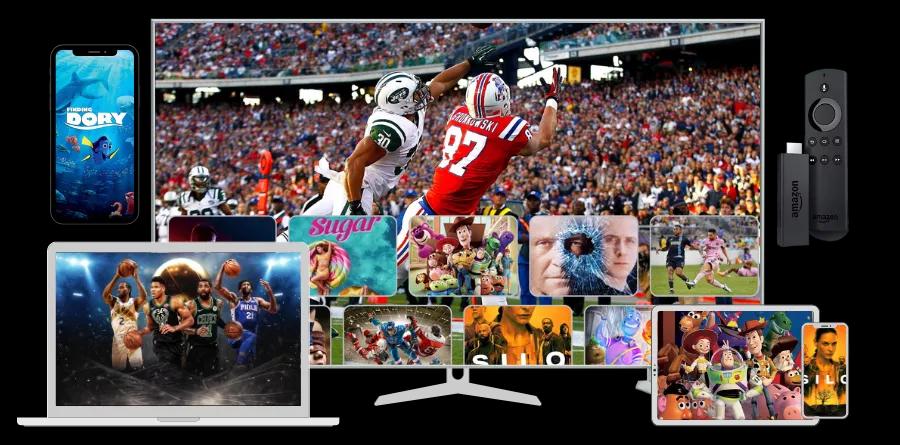
Quick answer: Setting up IPTV takes under 5 minutes. Download IPTV Smarters (Fire Stick/Android) or Smart IPTV (Samsung/LG), enter your subscription credentials, and start watching all Sky Sports channels immediately.
You have your IPTV subscription credentials. Now what?
This guide walks you through IPTV setup on every major device used in UK homes. Each section takes under 5 minutes to complete.
What You Need Before You Start
Before setting up IPTV, make sure you have:
- Your IPTV credentials — either an M3U playlist URL, or Xtream Codes (username, password, and server URL)
- A stable internet connection — 10 Mbps minimum for HD, 25 Mbps for 4K
- A compatible device — see below for supported devices
If you have not yet subscribed, you can get a 24-hour free IPTV trial with no credit card required.
How to Set Up IPTV on Amazon Fire TV Stick
The Amazon Fire TV Stick is the most popular IPTV device in the UK. It plugs directly into your TV's HDMI port and costs from £29.99 on Amazon.
Recommended app: IPTV Smarters Pro
Step 1: Enable Apps from Unknown Sources
- From the Fire TV home screen, go to Settings
- Select My Fire TV (or Device)
- Select Developer Options
- Turn on Apps from Unknown Sources
- Confirm when prompted
Step 2: Install the Downloader App
- Press the Home button
- Go to Find → Search
- Type "Downloader" and select it
- Click Download and wait for installation
Step 3: Download IPTV Smarters
- Open the Downloader app
- In the URL bar, type:
https://iptvsmarters.comand press Go - Navigate to the download section and download the Android APK
- Select Install when prompted
- Select Open after installation
Step 4: Add Your IPTV Subscription
- Open IPTV Smarters
- Accept the terms and conditions
- Select Add New User
- Choose Login with Xtream Codes API (recommended) or Load Your Playlist / File / URL
- Enter your credentials (provided by your IPTV provider):
- Username
- Password
- Server URL
- Tap Add User
Step 5: Start Watching
Your full channel list, EPG guide, and on-demand library will load. Navigate to Live TV and find Sky Sports channels under the Sports or UK categories.
Pro tip: Under Settings within IPTV Smarters, enable Auto-Continue Playback to resume from where you left off.
How to Set Up IPTV on Samsung Smart TV
Samsung Smart TVs from 2016 onwards support IPTV apps directly through the Samsung App Store.
Recommended app: Smart IPTV (also called SIPTV)
Method 1: Samsung App Store (2017+ TVs)
- Press the Home button on your remote
- Navigate to Apps and click the Search icon
- Search for "Smart IPTV" and install it
- Open Smart IPTV and note the MAC address shown on screen
- Visit the Smart IPTV website on your phone or computer
- Enter your MAC address and your M3U playlist URL
- Click Upload and wait 5 minutes
- Restart the Smart IPTV app — your channels will appear
Method 2: Via IPTV Smarters (newer Samsung TVs)
Newer Samsung Tizen TVs can run IPTV Smarters directly:
- Go to the Samsung App Store
- Search "IPTV Smarters"
- Install and follow the same Xtream Codes setup as described for Fire Stick above
How to Set Up IPTV on LG Smart TV
LG Smart TVs use the webOS platform, which has its own app store.
Recommended app: IPTV Smarters (webOS version)
- Press the Home button on your LG remote
- Navigate to the LG Content Store
- Search for "IPTV Smarters" or "SS IPTV"
- Install the app
- Open it and select Add Playlist
- Enter your Xtream Codes credentials or M3U URL
- Your channels load immediately
Alternative for older LG TVs: Use an Amazon Fire TV Stick plugged into the HDMI port — this works on any TV and gives you access to IPTV Smarters regardless of your TV's built-in software.
How to Set Up IPTV on Android Phone or Tablet
Recommended app: IPTV Smarters Pro (free on Google Play)
- Open the Google Play Store
- Search for "IPTV Smarters Pro" by Whmcs Smarters
- Install the app (it's free)
- Open the app and tap Add New User
- Select Login with Xtream Codes API
- Enter your server URL, username, and password
- Tap Add User
Your channels, EPG, and VOD library load within seconds. The app remembers your position in live streams and supports Picture-in-Picture mode.
How to Set Up IPTV on iPhone or iPad
Recommended app: GSE Smart IPTV (£4.99 on App Store) or IPTV Smarters (free)
Using IPTV Smarters (Free)
- Open the App Store and search "IPTV Smarters"
- Download and open the app
- Tap Add New User
- Enter your Xtream Codes credentials
- Tap Add — channels load immediately
Using GSE Smart IPTV
- Download GSE Smart IPTV from the App Store
- Open the app and go to Remote Playlists
- Tap the + button
- Enter a name for your playlist and your M3U URL
- Tap Add — your channels appear within the EPG guide
How to Set Up IPTV on Windows PC or Mac
Method 1: VLC Media Player (Free)
- Download and install VLC Media Player from videolan.org
- Open VLC and go to Media → Open Network Stream (Windows) or File → Open Network (Mac)
- Paste your M3U playlist URL
- Click Play — your channel list appears
- Browse channels in the playlist sidebar
Method 2: IPTV Smarters PC (Windows)
- Go to the Microsoft Store and search "IPTV Smarters"
- Install the app
- Follow the same Xtream Codes setup as on Fire Stick
- Enjoy a full TV guide interface on your desktop
How to Set Up IPTV on Apple TV
- Open the App Store on Apple TV
- Search for "IPTV Smarters" or "GSE Smart IPTV"
- Install the app
- Open it and add your playlist credentials
- Browse your full channel list via the EPG guide
IPTV Setup Troubleshooting
Channels won't load
- Check your internet connection speed (run a speed test)
- Verify your credentials are entered correctly — no spaces before or after
- Try switching from WiFi to ethernet cable
- Contact your IPTV provider to confirm your subscription is active
Buffering during live sport
- Switch from WiFi to a wired ethernet connection
- Lower the stream quality in your IPTV app settings (HD → SD temporarily)
- Close other apps and devices using your internet connection
- Restart your router
EPG guide is blank
- In your IPTV app, go to Settings and manually trigger an EPG refresh
- Wait 5–10 minutes for the guide data to download
- Some apps need a full restart to load the EPG for the first time
App won't install on Fire Stick
- Confirm Developer Options → Apps from Unknown Sources is turned on
- Check your Fire Stick has the latest software update
- Try downloading the APK directly via the Downloader app rather than through a browser
Best IPTV Apps Compared
| App | Best For | Cost | Platforms | |-----|----------|------|-----------| | IPTV Smarters Pro | Overall best | Free | Fire Stick, Android, iOS, Smart TV, PC | | TiviMate | Most advanced EPG | Free/£4.49/yr | Android TV, Fire Stick | | Smart IPTV (SIPTV) | Samsung/LG TVs | €5.49 one-time | Samsung, LG | | GSE Smart IPTV | iPhone/iPad | £4.99 | iOS, macOS | | VLC Media Player | PC & Mac | Free | Windows, Mac, Linux | | Perfect Player | Android TV | Free | Android TV, Fire Stick |
Frequently Asked Questions
What is an M3U URL?
An M3U URL is a link to your IPTV channel playlist. Your IPTV provider sends this to you when you subscribe. It looks like: http://server.example.com:port/get.php?username=abc&password=xyz&type=m3u
What are Xtream Codes?
Xtream Codes is a login system used by most IPTV providers. Instead of an M3U URL, you get a server address, username, and password. Most modern IPTV apps support Xtream Codes login directly.
Can I use IPTV on multiple devices at the same time?
It depends on your subscription plan. Most standard subscriptions allow 1 simultaneous connection. Premium plans typically allow 2–5 connections. Check with your provider to understand your plan limits.
How do I find Sky Sports in my IPTV app?
In most IPTV apps, channels are organised by category. Look for a "UK Sports", "Sky Sports", or "Sports" category. You can also use the search function in your IPTV app to find specific channels by name.
Do I need a VPN for IPTV?
You do not need a VPN to use IPTV. IPTV works without one. Some users choose to use a VPN for privacy reasons, but it is not required and can sometimes reduce streaming quality due to the additional routing.
Now that you are set up, explore your full channel list — including all Sky Sports channels, 24,000+ live channels, and 150,000+ on-demand movies and shows. Browse the complete IPTV channel list or find the best IPTV service for UK viewers. Planning to stream while overseas? Learn how to watch UK TV abroad.
Guide last updated March 2026.